Introduction
Vaanieval captures enabled audio, transcripts, provider spans and timing evidence in local session packages for post-call review and optional model-disagreement analysis.
Vaanieval is observability and evaluation for voice agents: the systems that listen to a caller, think with a model, call a tool or two, and speak back.
A voice call is not a web request. It is a chain of turns, each one a race against the caller's patience, and each one stitched together from three or four providers that all report time differently. When someone says "the bot was slow and it got my destination wrong", a normal APM can tell you an HTTP request took 7.4 seconds. It cannot tell you which turn the caller was waiting through, that the model was silently retried inside that turn, or that the transcription heard "Dubai" when the caller said "Manali".
Vaanieval helps investigate those questions using the evidence your integration captures. Missing instrumentation, disabled capture and dropped data limit what you can conclude.
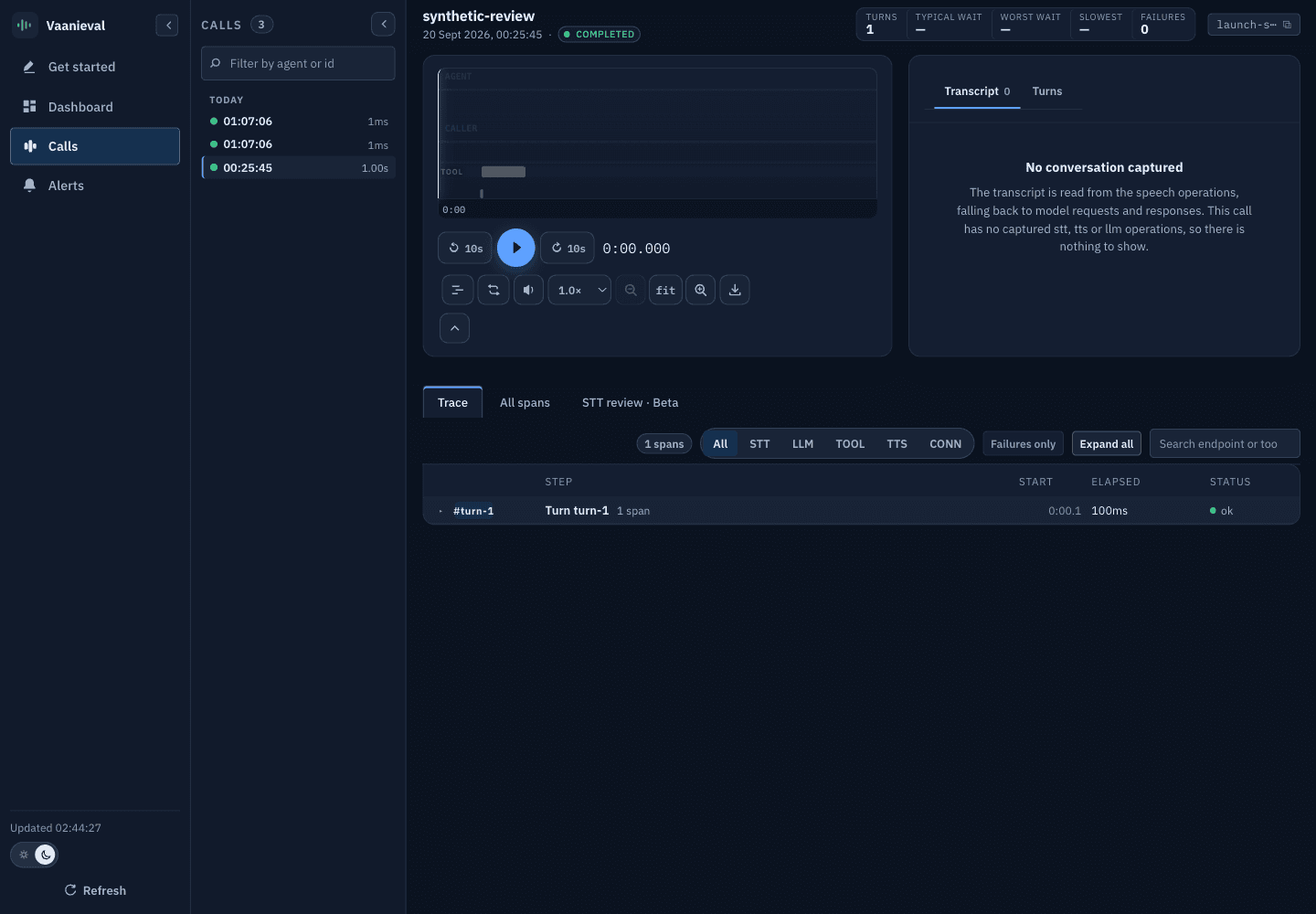
This screenshot uses synthetic local data, not a hosted customer call. Missing voice metrics are expected: the fixture contains no captured conversation or STT, LLM or TTS evidence.
What you get
A portable record of captured evidence
Enabled audio, transcripts, instrumented provider spans and turn structure are written locally for explicit upload after the call. Coverage depends on settings and integration; inspect capture_status for known gaps.
Turn-level latency you can defend
Review listening, thinking and speaking evidence per recorded turn, including captured provider retries. Missing milestones limit which latency metrics are measurable.
Transcription review
Optionally send recorded caller audio to ElevenLabs and transcript disagreements to OpenAI for review assistance. Neither challenger nor judge establishes ground truth.
Fleet review and alert previews
Review captured measurements across agents, providers, models and environments. Alert rules are browser-local previews: no notifications are delivered.
How it fits together
Vaanieval has two halves, and they are deliberately separate.
A capture SDK runs inside your agent process. It writes a session package —
manifest.json, events.jsonl, call.audio — to a local spool directory as the
call happens. It never blocks the media path on a network call. There are two
SDKs, Python and Node.js, and they emit a
byte-compatible format.
A dashboard ingests those packages, stores them, and answers questions about them. The local FastAPI dashboard runs on localhost. A separate hosted-beta backend is under construction; the curated public demo is not a tenant-safe upload service.
The split matters. Because capture is local-first, a network problem between
your agent and the dashboard costs you an upload, not a call. Because the package
is a plain directory of files, you can inspect it with cat and jq before you
trust anything the dashboard tells you.
Timing evidence comes from the captured package. Challenger transcripts, judge results and pricing are additional inputs, not facts measured by the SDK. See Capture and privacy before uploading or enabling external evaluation.
Where to start
Python quickstart
Record your first call from a Python agent, including LiveKit Agents, and open it in the console.
Node.js quickstart
Record your first call from a Node.js agent with automatic fetch instrumentation.
Tour the live demo
A curated call snapshot. No install required; preview the review workflow before integrating.
Core concepts
Sessions, turns, operations, milestones and the call clock — the five ideas everything else is built from.
What Vaanieval is not
Being clear about this saves you an evaluation cycle.
- It is not a real-time monitor. Upload is explicit and happens after the call ends, so a call becomes visible one call-duration later. If you need sub-second alerting on a call in progress, this is the wrong tool today.
- It is not a ground-truth accuracy benchmark. The STT comparison scores your production transcript against a challenger model, not a human reference. The result is labelled estimated WER / model disagreement, never accuracy. See Metrics.
- It is not multi-tenant SaaS in this release. The dashboard you self-host
has no tenant isolation, and its read endpoints are always open. Ingest can be
gated with
VAANI_REQUIRE_API_KEY=1, but that does not secure reads or isolate tenants. Keepapp.main:appon localhost. Hosted-beta work uses the separateapp.cloud.main:appentrypoint and is not a public production-readiness claim. See Self-hosting. - It does not replace your agent framework's own tracing. It complements it. Vaanieval cares about the caller's experience of time and words; framework tracing cares about your code.
Source
The platform has three public GitHub repositories, with anonymous Git access verified. Public Git-based installation is documented below. Registry availability, a cloud-compatible SDK release and hosted-service readiness are separate questions; none is established by public repository access.
| Repository | What it is |
|---|---|
vaanieval-observer-backend | The FastAPI dashboard, console and STT evaluation engine |
vaanieval-observer-python-sdk | The Python capture SDK, including the LiveKit Agents integration |
vaanieval-observer-nodejs-sdk | The Node.js capture SDK |
Source installs and hosted beta
The repositories are public and support anonymous Git access. These guides install the SDKs from public Git. Anonymous registry checks on 20 September 2026 returned HTTP 404 for npm @vaanieal/observer and PyPI vaanieval-observer; no release was found under those names. Source availability does not mean the hosted service is ready for public launch: new public workspaces remain closed.
The quickstarts pin published Python 0.5.7b1 and Node 0.1.1-beta.1 source previews. Both installed previews have uploaded synthetic calls to the isolated hosted development environment. Git/build tooling and explicit revision upgrades are required; this is not registry publication or production-readiness certification.
For setup help, email shubham@vaanieval.com or book a call — a short conversation about your use case tells us whether Vaanieval fits, and helps identify the setup that matches your stack.